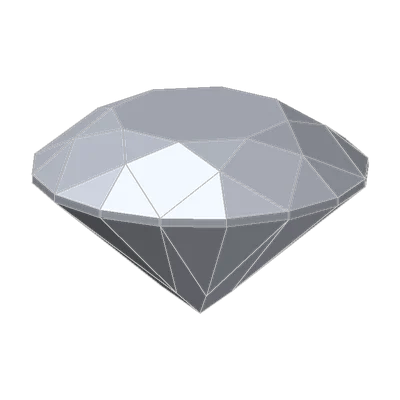
The stone that's too wide
A report reads: round brilliant, 1.00 carat, 6.48 – 6.50 × 4.00 mm. The stone it came with weighs exactly 1.00 carat on your scale. But your gauge says it's 6.67 mm across.
A few hundredths of a millimeter could be measuring error. Seventeen to nineteen hundredths at the same weight is not. Something here isn't the stone on the report.
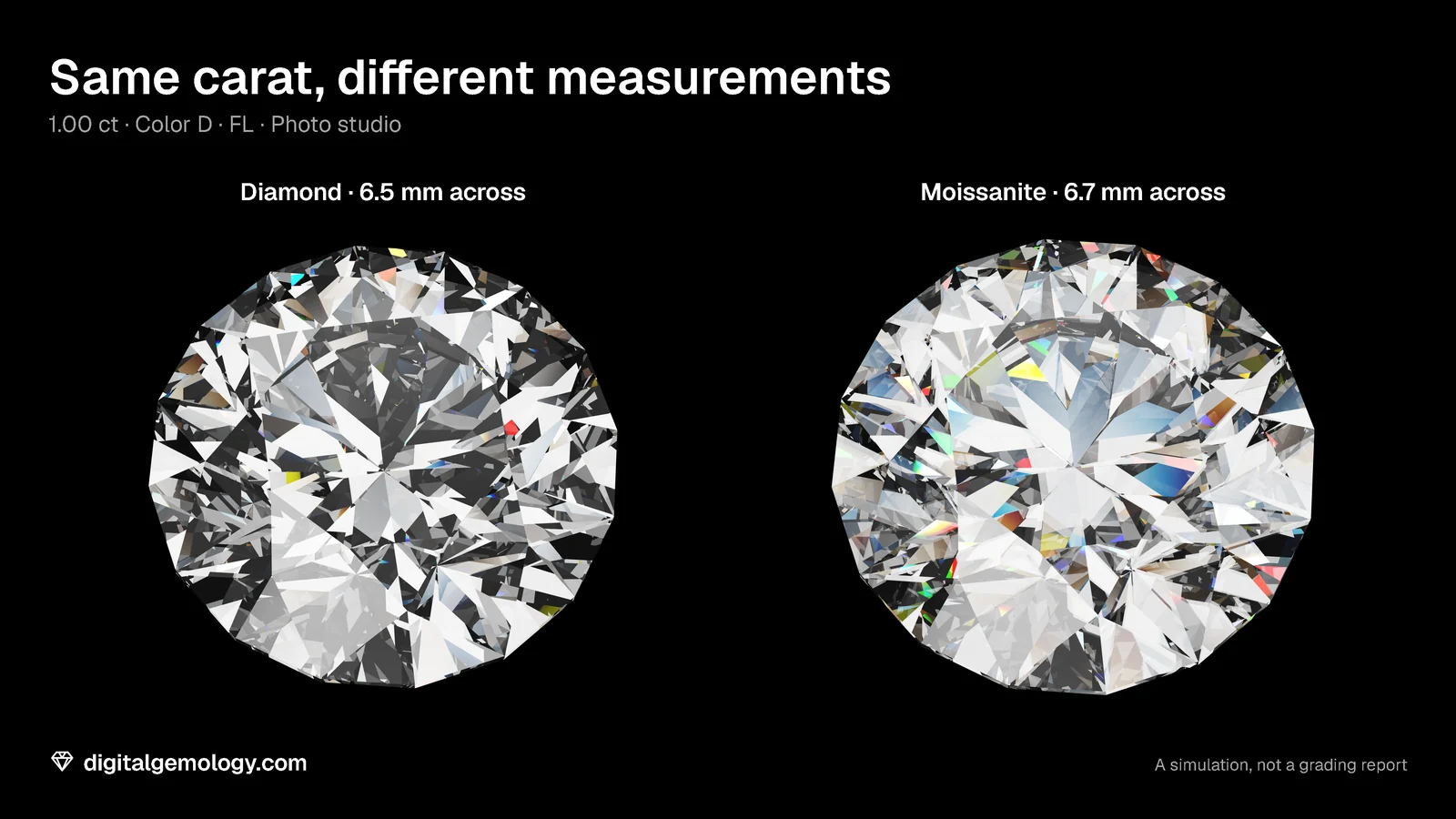
Our simulator shows exactly this difference. A 1.00 ct T73 in diamond measures 6.48 mm. The same cut at the same weight in moissanite measures 6.67 mm, because moissanite is less dense. Same carat, wider stone. The identity block caught it, and you didn't need a single grade to do it.
The identity block
The top of a GIA report describes this stone and no other. (The carat weight sits with the grades, but the identity check uses it too.)
- Date: the day the lab examined the stone. Everything on the report is true on that day.
- Report number: unique, and registered in GIA's database.
- Shape and cutting style: the outline (round, oval, pear…) and the pattern of facets (brilliant, step cut…), such as "Round Brilliant".
- Measurements: for a round, minimum diameter – maximum diameter × depth; for a fancy shape, length × width × depth, in millimeters.
- Carat weight, from the grades block: to the hundredth of a carat. GIA's balance reads to the fifth decimal place, and the report rounds to two.
Weight and measurements together are a powerful check. A given cut in a given material has only one size at a given weight. If the millimeters don't fit the carats, ask why.
Checking a report
A report is only useful if it belongs to the stone. GIA gives you several ways to check:
- Inscription. Many stones carry their report number on the girdle. A laser writes it, and you can see it under magnification. The report lists any inscription. On a Diamond Dossier the number is always inscribed.
- Report Check. Enter the number on GIA's Report Check, or scan the report's QR code. You then see what GIA itself recorded. For digital reports, that online version is the definitive one.
- Security features. The printed report carries microprinting, security screens, watermarks, a two-dimensional barcode, a hologram and sheet numbering.
On an IGI report: IGI calls its inscription Laserscribe, and says it co-created the modern laser inscription process. Every laboratory-grown diamond IGI grades is inscribed automatically, with "LG" before the report number. Natural diamonds are inscribed when the owner asks. IGI's balance reads to four decimals (GIA's to five), and both report the weight to two. The QR code and IGI's Verify Your Report page lead to the online copy, and the paper report has at least five security features. Grading is anonymous: IGI masks the owner details and gives each stone an internal number.
Try it yourself
- Open 3D Gemstone Simulator with the T73 Round Brilliant in diamond. Find Date, Simulation number, Shape and cutting style and Measurements at the top of its report.
- Step Carat weight from 0.5 to 2. Write down the measurements line at each step.
- Back at 1.00 ct, change Gemstone to moissanite. Read the measurements again.
- Change the cut to the Oval. How does the form of the measurements line change?
- Catch the swap: a report says 1.00 ct, 6.47 – 6.49 × 4.00 mm. You have three stones on your desk, all 1.00 ct. They measure 6.48 × 4.00, 6.67 × 4.12 and 6.16 × 4.16 mm. Which one belongs to the report, and what might the other two be?
What the simulator shows
Carat and millimeters move together. At 0.50 ct the T73 measures 5.14 mm, at 1.00 ct 6.48 mm, at 2.00 ct 8.16 mm. One weight, one size, for one cut in one material.
The material shows. In moissanite the same 1.00 ct is 6.67 – 6.67 × 4.12 mm: 3% wider and deeper, because each carat is more stone.
The form changes with the shape. For the oval the line becomes length × width × depth, because a fancy shape has no single diameter.
Catch the swap. The 6.48 × 4.00 mm stone fits the report. The 6.67 × 4.12 mm stone is the right weight but too big all round. It could be a less dense material, like moissanite. The 6.16 × 4.16 mm stone is narrower and deeper: a heavier-bottomed, worse-cut stone. Only the first one is the stone on the paper. A mismatch doesn't prove what a stone is, but it proves the report isn't its own.
The simulator's report is for learning, not a lab report. Its "simulation number" is not a report number.
Key points
- The identity block (date, report number, shape and cutting style, measurements) describes one stone on one day. With the carat weight, it ties the paper to the stone.
- Rounds give minimum – maximum diameter × depth; fancy shapes give length × width × depth.
- Weight and measurements must agree: a given cut in a given material has one size at one weight.
- Check a report with the girdle inscription, the lab's online database (QR code, Report Check or Verify Your Report) and the paper's security features.
- IGI inscribes every lab-grown stone with "LG" before the number; natural stones on request.
Go further: how to turn the measurements line into a total depth percentage.
Try it free
- 3D Gemstone Simulator: Turn a cut in seven gemstones and set its carat, color, clarity and cut grade.
Free, in your browser, no account.
Quick quiz
Five questions on this lesson, a couple of minutes. Pick an answer and see at once if you got it, and why.
Cuts in this lesson
We sell the files of these cuts: 3D models and cutting files, with a personal-use license.
Keep exploring
- Next lesson: The grades on a diamond report: color, clarity and cut
- Try another topic · The bow-tie effect: How to check a stone for a bow-tie: a bench routine
Previous lesson · How to read a diamond grading report: all lessons · All topics