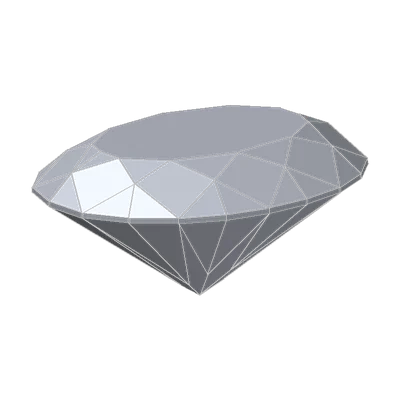
From our stone to yours
Our rebuild of a bow-tie marquise ends on one rule: the room decides when you see a bow-tie, and the angles decide whether it's there. That gives you two kinds of check. Some use the room to make a band show if there is one. Others go straight to the angles.
Here's the routine, from free and quick to thorough.
The routine
1. Look in the wrong light. Shop light is made to show stones at their best. It can turn a band pale or even white. So look at the stone face up somewhere dim, with your head over it, like our Home lighting. If there's a band, that's when it shows.
2. Rock it. Tip the stone slowly from side to side. If a band stays across the belly as the stone moves, it is in the stone. In our stress test, with a 20° head shadow, DG-Bowtie (a marquise with a strong band) was darkest face up, the view you look at most.
3. Ask for a video. If you can't see the stone yourself, ask for one. GIA's oval guide gives the same advice, because stones with the same ratio can look different.
4. Ask what paperwork exists. A GIA grading report won't mention a bow-tie. But some ovals have an AGS Ideal Report by GIA. GIA issues it only to stones at its top light performance grade, so if one exists, that is a good sign. Ask for the version with the ASET map, where leakage shows in gray. And IGI's optional cut grade for fancy shapes checks bow-ties as one of its steps.
5. Load the file. If you have the stone's cutting file or 3D model (as a cutter, a designer or a file buyer), load it into our tools with Measure your own stone. The 3D Gemstone Simulator, Brightness & Tilt and the Cut Performance Wheel all take it. They read GemCad (.asc, .gem), Gem Cut Studio, STL, OBJ, PLY, OFF, glTF, 3MF, STEP and FBX, on your own device. The file is never uploaded. Turn on the light map and look across the belly.
6. Cutters: check the belly angles. Take light that comes straight down. For that light, a pair of belly facets must be:
- steeper than the stone's critical angle, or light goes straight through;
- flatter than (180° − critical angle) ÷ 3, or light leaves through the opposite facet.
| Stone | Critical angle | Belly facets between |
|---|---|---|
| Diamond | 24.4° | 24.4° and 51.9° |
| Moissanite | 22.2° | 22.2° and 52.6° |
| Cubic zirconia | 27.7° | 27.7° and 50.8° |
| Amethyst | 40.4° | 40.4° and 46.5° |
It's a simplified slice, not a whole design check. But it explains a lot at a glance. Look at amethyst: a window only 6° wide. That's why a design made for diamond so often fails in a low-index stone.
Run it on three stones
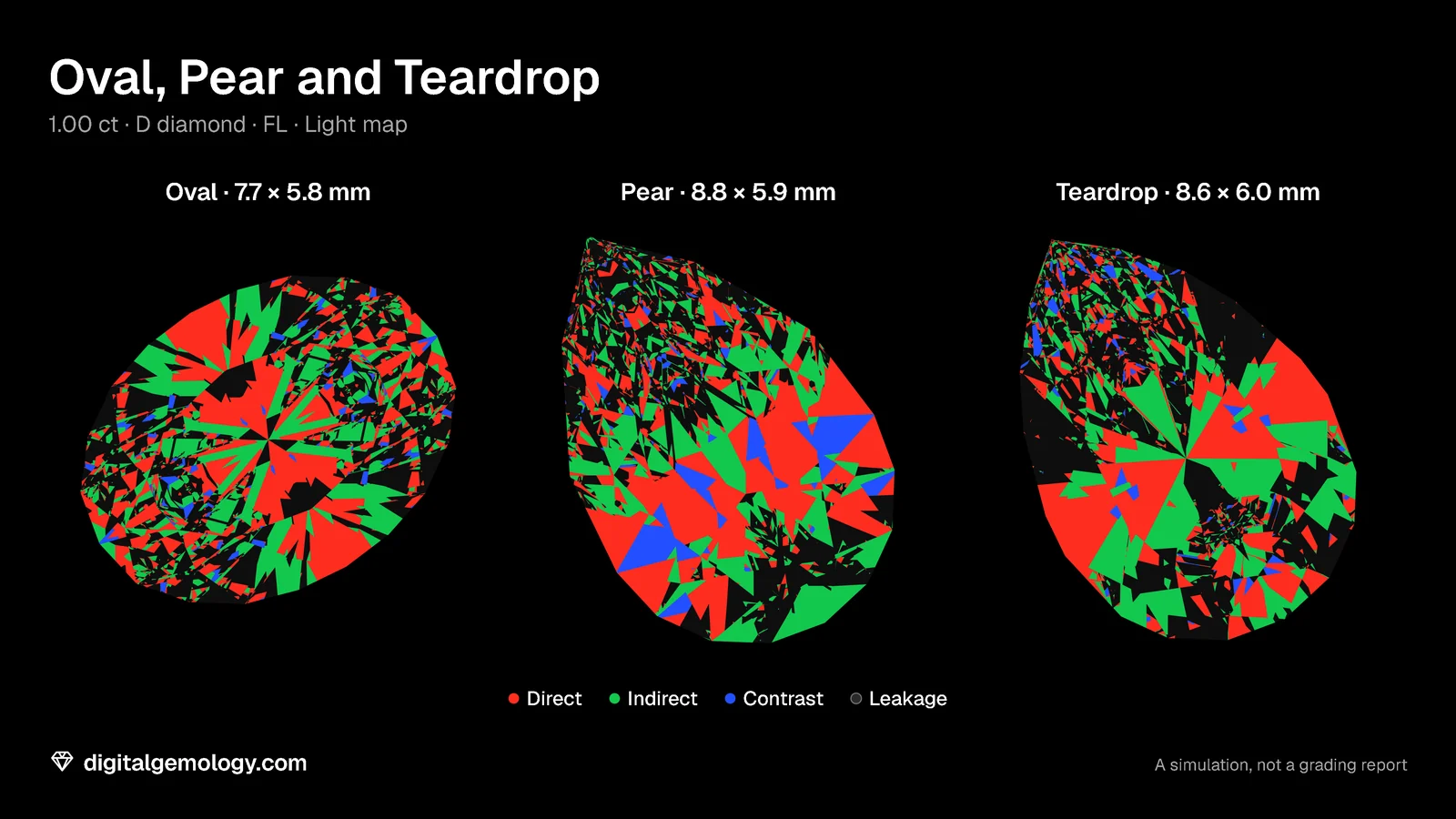
Our library has three more long stones: the Oval, the Pear and the Teardrop. Here's the bench run on all three.
| 1.00 ct diamond | Light Return (direct, indirect, contrast, leakage) | Where the black sits | Verdict |
|---|---|---|---|
| Oval | 33, 27, 3, 38% | two patches at the ends | clean belly, dark ends |
| Pear | 35, 26, 8, 31% | scattered toward the point | clean belly, scatter |
| Teardrop | 30, 27, 3, 40% | toward the point and along both shoulders | clean belly, scatter |
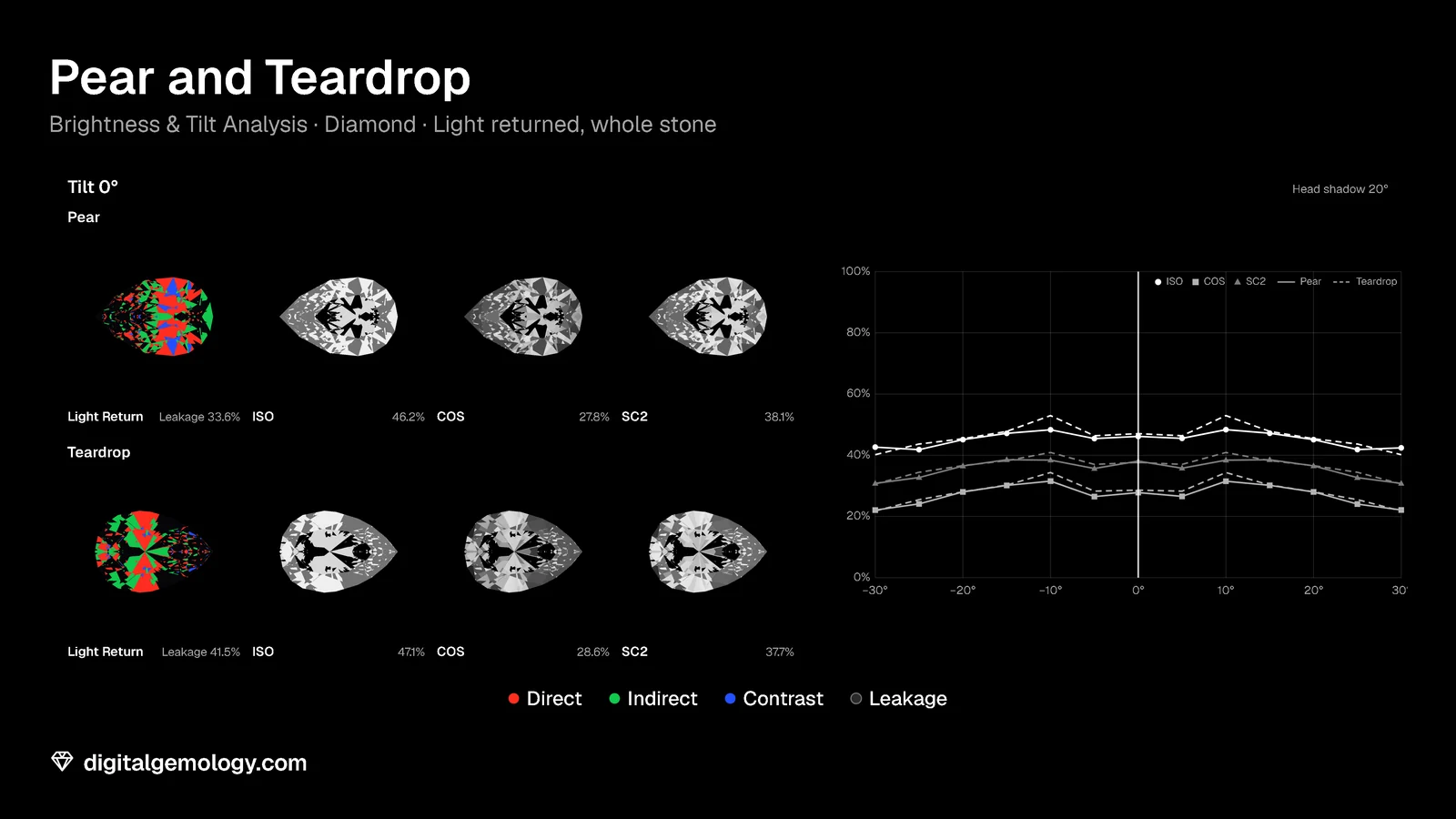
In Brightness & Tilt with a 20° head shadow, the Pear and the Teardrop are almost level under ISO (46.3% and 46.8%). But the Teardrop leaks more (42.2% against 34.1%).
None of the three has an organized band across the belly. Each one has its own trade-off, and you can now say exactly where it is.
Try it yourself
- Open 3D Gemstone Simulator with the Oval, view Face up, lighting Home. Then turn on Light map. Repeat for the Pear and the Teardrop.
- Open Brightness & Tilt Analysis with the Pear against the Teardrop. Set Head shadow to 20° and drag Tilt.
- If you have a cutting file or a 3D model of your own, drop it on either tool with Measure your own stone.
- The challenge: choose three elongated stones (from the library or your own files). Run the routine and rank them.
What the routine shows
The routine runs from free to thorough. Look in a dim room with your head over the stone, and rock it. Ask for a video, and ask what paperwork exists. Load the file. If you cut, check the belly angles against the stone's limits.
On our three library stones, the routine gives three clear verdicts. The Oval has a clean belly and dark ends. The Pear and the Teardrop have clean bellies and scatter toward their points. The Teardrop leaks most (40%).
Key points
- Look for a bow-tie where it shows: face up in a dim room, with your head over the stone, and while you rock it.
- Ask for a video, and ask what exists beyond the GIA report: an AGS Ideal ASET map for some ovals, or IGI's fancy-shape cut grade.
- With the file, our tools show the band directly in the light map.
- For light coming straight down, belly facets in diamond belong between 24.4° and 51.9°. Low-index stones have a much narrower window.
- A clean belly isn't a perfect stone: name where the dark went.
Sources
- GIA 4Cs, Oval Cut Diamond Guide, 23 September 2025: view the stone in person or request videos.
- GIA, Introducing the AGS Ideal Report by GIA, and the GIA training module AGS Ideal Report, 2024: eligible shapes; ASET map, gray for leakage.
- IGI, Diamond Cut Grading (igi.org): the fancy-shape cut grade's bow-tie step.
Go further: Use your own file lists the formats our tools read, and what they check.
Try it free
- Brightness & Tilt Analysis: Face-up brightness under four standard lights, and how it holds as the stone tilts.
- 3D Gemstone Simulator: Turn a cut in seven gemstones and set its carat, color, clarity and cut grade.
Free, in your browser, no account.
Quick quiz
Where are you most likely to see a bow-tie, if a stone has one?
- Under bright shop lights
- Face up in a dim room, with your head over the stone
- In a photo studio
Show the answer
b: Bow-tie in the stone, sometimes on your finger: tilt and head shadow: the room decides when you see it.
Which document can show a bow-tie on an oval?
- The GIA grading report
- The AGS Ideal Report by GIA, with its ASET map
- The receipt
Show the answer
b: For eligible ovals; IGI's optional fancy-shape cut grade also checks bow-ties.
In diamond, for light coming straight down, which pair of belly facet angles leaks through the opposite facet?
- 41°
- 49°
- 53°
Show the answer
c: Past 51.9°.
Why is amethyst harder to cut without dark areas than diamond?
Show the answer
Its critical angle (40.4°) leaves a window of about 6° for belly facets (40.4° to 46.5°), against 27.5° in diamond.
Run the routine on one stone and give your verdict: band, scatter or clean belly?
Show the answer
Open answer.
Cuts in this lesson
We sell the files of these cuts: 3D models and cutting files, with a personal-use license.


Keep exploring
Previous lesson · The bow-tie effect: all lessons · All topics