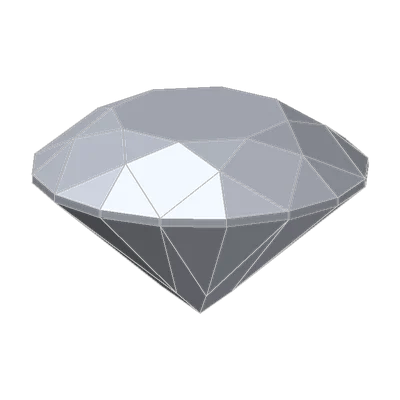
One word, three meanings
"Ideal cut" is everywhere in diamond selling. On paper it means three different things:
- On an IGI report, "Ideal" is a comment added to an Excellent cut grade, for rounds whose proportions sit in a narrower middle band.
- On a GIA report, the cut grade stops at Excellent. "Ideal" appears only on a separate supplement, the AGS Ideal Report by GIA, as a light performance grade.
- In a sales pitch, it can mean anything.
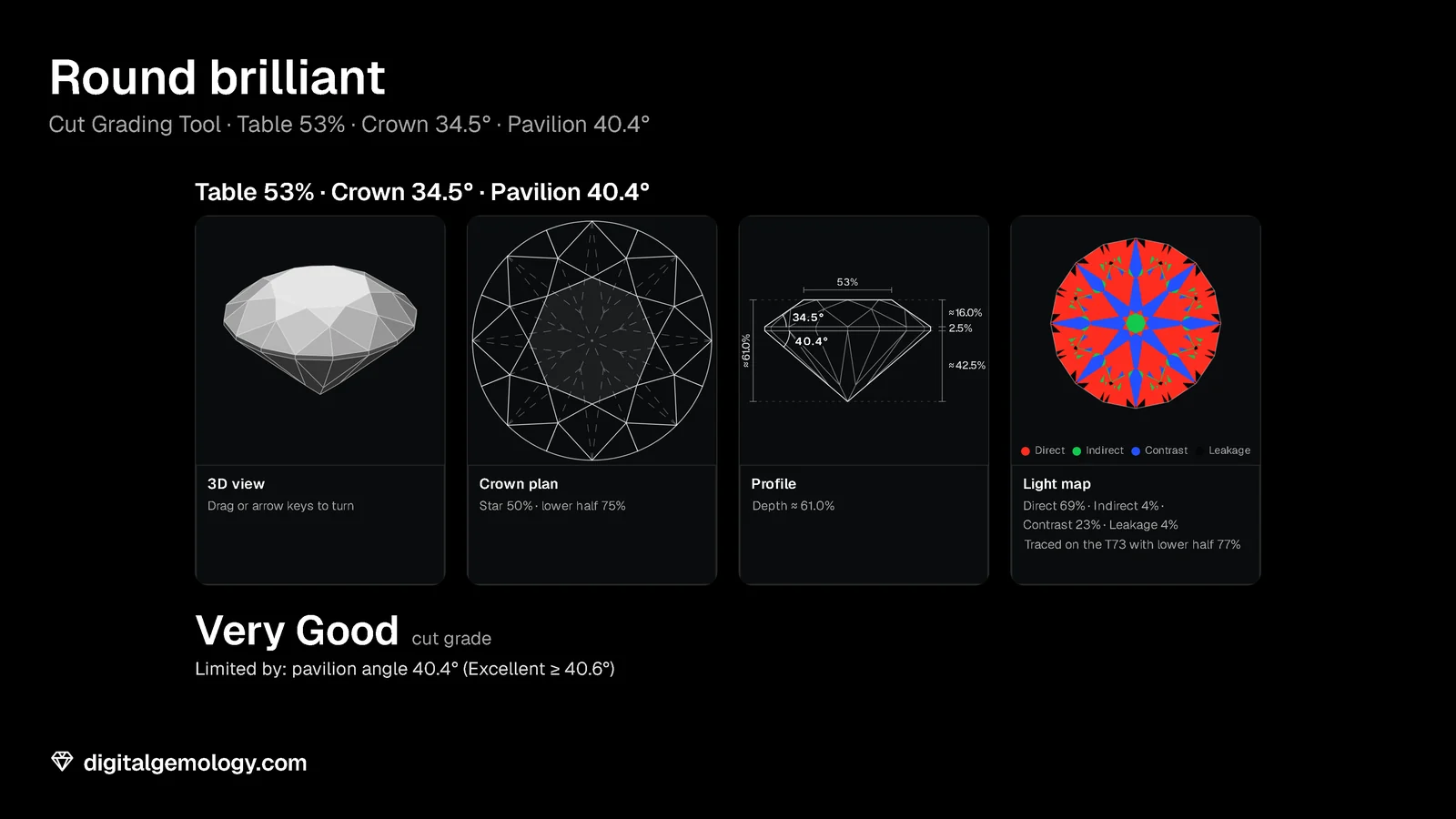
And here's the surprise. Our Cut Grading Tool reads GIA's published tables. Take the T73's table and crown in the tool, and set the pavilion to 40.4°. The tool says Very Good. Now check the same numbers against IGI's published chart: every one of them sits inside IGI's Ideal band. By the two published charts, the same proportions could earn "Ideal" at one lab and Very Good on the other's tables. Let's see how.
Ideal at IGI: a comment on Excellent
IGI's cut chart for round brilliants gives every proportion its own range for each grade. The top grade is Excellent. Inside the Excellent ranges sits a narrower middle band. A stone with every proportion in that band gets the comment "Ideal Cut Round Brilliant" (IGI's pages call it "Excellent-Ideal"). The band, from IGI's May 2023 chart:
| Proportion | IGI "Ideal" band |
|---|---|
| Total depth | 58.5 to 62.5% |
| Table | 53 to 60% |
| Crown angle | 33 to 36° |
| Crown height | 13 to 16.5% |
| Pavilion angle | 40.0 to 41.3° |
| Pavilion depth | 42 to 44% |
| Girdle | Thin to Slightly Thick |
| Polish and symmetry | at least Very Good |
Ideal at GIA: a light performance grade
GIA's cut grade (Excellent to Poor) is about proportions, design and craftsmanship. Light performance is a separate measure, from the American Gem Society. The AGS is a nonprofit trade association, founded in 1934 by the same founders as GIA. The AGS Ideal Report by GIA is a supplement to a GIA report, with a light performance grade from 0 to 10. AGS Ideal 0 is the top, and GIA issues the supplement only for stones that reach it. Brightness, fire and contrast each get a grade too, and the report can include an ASET map.
To be eligible, a round must first be a GIA "Triple Excellent": Excellent cut, polish and symmetry. Even then, most don't qualify. GIA notes that the AGS method is quite different from its cut grade. It also notes that few diamonds have both the optical precision and the light return to reach grade 0.
On an IGI report: IGI has its own Light Performance Report for rounds with top optical performance. It gives a Light Performance score plus Brightness, Fire and Contrast, and an Ideal-Scope image made by ray tracing. The report uses only the stone's external proportions, so it doesn't account for heavy inclusions. IGI also issues Hearts & Arrows reports. These are for stones cut precisely enough to show eight hearts face down and eight arrows face up in a reflective scope.
Try it yourself
- Open Cut Grading Tool. The T73 as cut: 53%, 34.5°, 40.8°. Check each of its numbers in the Profile against IGI's Ideal band above. Does it fit?
- Set the Pavilion angle to 40.4°. What does the tool say? Check the band again.
- Set it to 41.4°. Tool, then band.
- Find the overlap: at the T73's table and crown, which pavilion angles are Excellent in the tool and inside IGI's Ideal band?
- Open 3D Gemstone Simulator, T73 in diamond, and turn on Light map. Compare its colors with an ASET map's (below). Then open Hearts & Arrows Scope.
What the tools show
The T73 fits both. Table 53%, crown 34.5° and about 16% high, pavilion 40.8° and about 43% deep, total depth about 61.6%, girdle 2.5%. Every number is inside IGI's Ideal band, and the tool says Excellent.
At 40.4° the tool drops to Very Good: GIA's tables want 40.6° or more at this table and crown. IGI's Ideal band starts at 40.0°, and the pavilion depth (about 42.6%) still fits. At 41.4° it's the other way round. The tool still says Excellent. But 41.4° is past IGI's 41.3°, and the pavilion depth (about 44.1%) is past 44%. So IGI would drop the Ideal comment. The overlap is 40.6° to 41.2° (in the tool's 0.2° steps).
That's our tool reading GIA's tables, and our reading of IGI's chart: neither is a lab's grade. But it shows why "Ideal" and "Excellent" aren't interchangeable: the labs draw their lines differently.
The colors. An ASET map uses four colors:
- Red marks where the stone returns its strongest light.
- Green marks where it returns dimmer light that still adds sparkle.
- Blue marks the dark contrast areas that give the pattern its shape.
- Gray marks light lost through the bottom.
A stone that scores well is mostly red, with blue spread evenly and only small touches of green and gray. Our simulator's Light Return map uses the same idea, with black for leakage. It's our own render, not an ASET.
Key points
- At IGI, "Ideal" is a comment on an Excellent round whose every proportion fits a narrower band (IGI's pages say "Excellent-Ideal").
- At GIA, the cut grade tops out at Excellent. "AGS Ideal" is a separate light performance grade on a supplement, and only for stones that reach grade 0.
- A GIA Triple Excellent doesn't automatically qualify for AGS Ideal.
- The labs draw their lines differently. By the published charts, a pavilion of 40.4° can sit inside IGI's Ideal band and still be Very Good on GIA's tables.
- Light performance reports (AGS and IGI) score brightness, fire and contrast. An ASET map shows red, green, blue and gray.
Go further: how the pavilion, the most sensitive number on a round, moves the grade.
Try it free
- Cut Grading Tool: Grade a round brilliant from its proportions and see its light map change.
- 3D Gemstone Simulator: Turn a cut in seven gemstones and set its carat, color, clarity and cut grade.
- Hearts & Arrows Scope: See the arrows face up and the hearts face down as you change the cut.
Free, in your browser, no account.
Quick quiz
Five questions on this lesson, a couple of minutes. Pick an answer and see at once if you got it, and why.
Cuts in this lesson
We sell the files of these cuts: 3D models and cutting files, with a personal-use license.
Keep exploring
- Next lesson: Polish, symmetry and fluorescence on a diamond report
- Try another topic · Diamond anatomy and proportions: Star length and lower half length in a round brilliant
Previous lesson · How to read a diamond grading report: all lessons · All topics