Transcript
This 10-second clip has no sound. What you see:
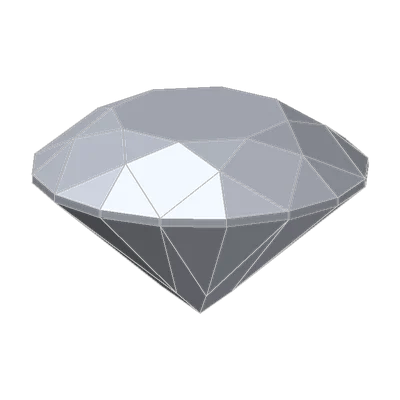
The T73 at Excellent and at Poor, turning together at their true sizes.
Same weight, same color, same clarity
Two diamonds turn side by side. Both weigh 1.00 carat. Both are D, Flawless. The only difference is the cut: one is Excellent, the other Poor.
The Excellent stone is a crisp pattern of bright and dark. The Poor one looks flat and washed out across its wide table. And it's smaller: 6.2 mm across against 6.5 mm, but it weighs exactly the same.
Color tints a stone, clarity marks it, carat scales it. Cut is the C that changes the whole face. That's why we call it the C you see.
Cut is not shape
When someone asks for "an oval cut", they mean a shape: the outline of the stone. The round brilliant is the most common shape. Every other outline (oval, pear, marquise, cushion and the rest) is a fancy shape.
Cut is something different. It is how well the cutter chose and polished the angles and proportions of the stone, and so how the stone handles light. The beauty of a diamond comes from three things that light does inside it:
- Brilliance: the white light it returns to your eye. GIA calls this brightness.
- Fire: the flashes of spectral color as white light splits into its colors.
- Scintillation: the sparkle, and the pattern of bright and dark areas, as the stone, the light or you move.
Fine proportions, polish and symmetry make the most of all three.
Where the light goes
The key is the pavilion, the cone under the girdle. Light goes in through the top. It must bounce off the pavilion facets and come back up through the crown to your eye. If the pavilion is too shallow or too deep, the light hits the facets at the wrong angles. Then it escapes out of the bottom or the side. That's leakage.
More facets won't fix it either. Extra facets cut the reflections into more, smaller pieces, so the pattern of the stone looks busier. But the amount of light that the stone sends back stays the same. The proportions, the polish and the symmetry set that amount.
GIA gives a cut grade, Excellent to Poor, to standard round brilliants only. Fancy shapes are too different for one system, so far.
Try it yourself
- Open 3D Gemstone Simulator with the T73 in diamond. Under Show, switch on Light map.
- In the report, under Cut grade, step from Excellent through Very Good, Good, Fair to Poor. At each step, read the four shares in the report under Light performance (Light Return), and the Measurements.
- Leak hunt: at which grade does leakage first go above 10%? And where on the stone does the black show first?
- Switch the light map off. Look at the stone itself at Excellent and at Poor, in Photo studio.
- Open Proportions in the report and compare the pavilion angle at Excellent and at Poor.
What the light map shows
The light map. It shows where the light that gets to your eye comes from. The simulator traces it face up, from the geometry only. The colors mean:
- Red: direct light from high above (45 to 75 degrees).
- Green: lower, indirect light.
- Blue: contrast, the area that reflects your own head.
- Black: leakage, light that goes out through the pavilion.
| Cut grade | Direct | Indirect | Contrast | Leakage | Diameter |
|---|---|---|---|---|---|
| Excellent | 69% | 5% | 22% | 4% | 6.48 mm |
| Very Good | 57% | 21% | 10% | 13% | 6.44 mm |
| Good | 54% | 23% | 5% | 18% | 6.38 mm |
| Fair | 21% | 26% | 24% | 29% | 6.28 mm |
| Poor | 29% | 8% | 18% | 45% | 6.16 mm |
Leakage goes above 10% at the first step down. At Poor, nearly half the face leaks. Watch where. At Good, a dark ring opens around the table. At Poor, the whole outer band of the stone leaks. Only the middle still returns light, and that is why the Poor stone looks bright but flat there.
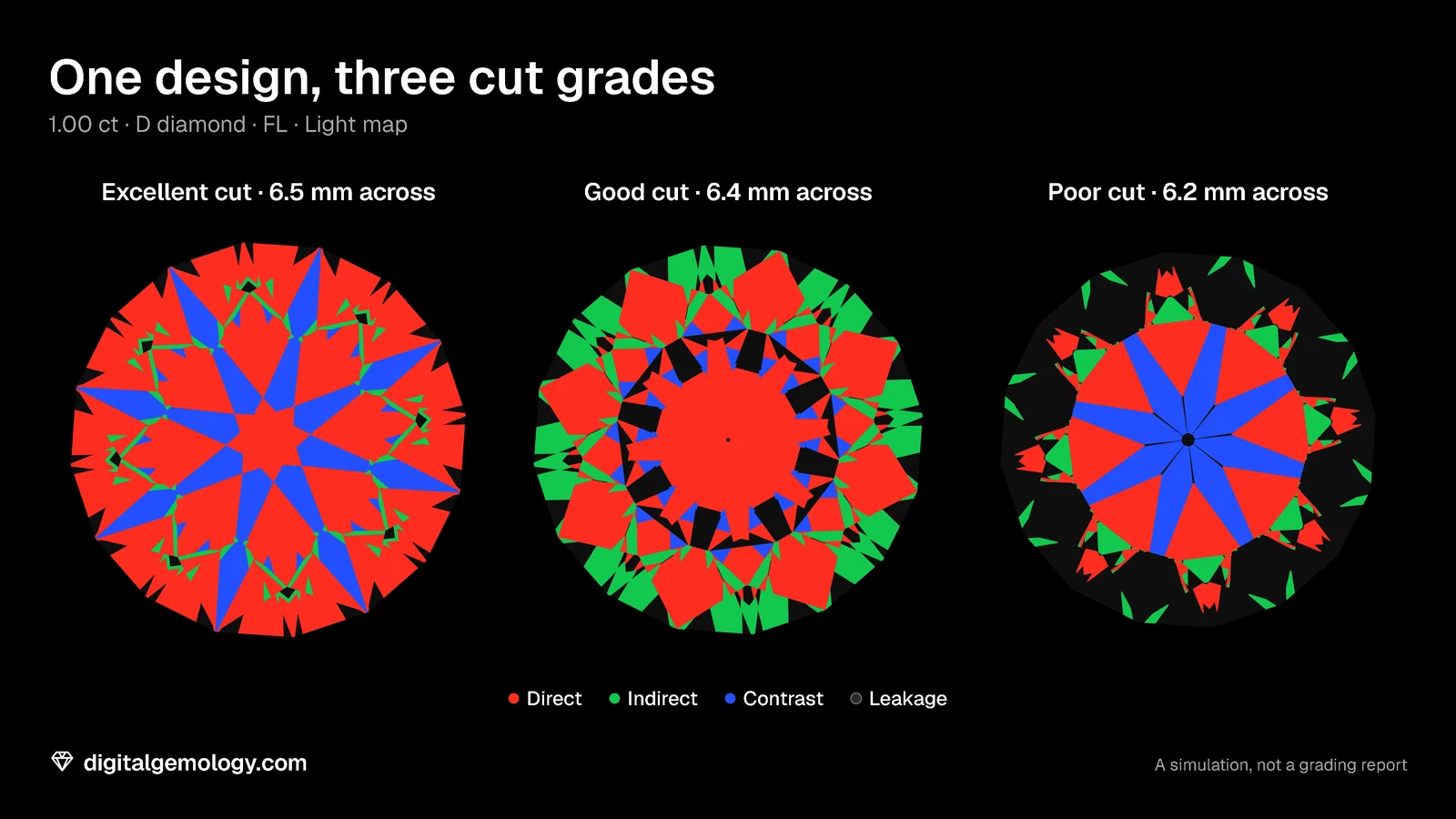
What moved. In the simulator, the cut grade is a fixed schedule that changes the design. At Poor:
- the crown is 2.5° shallower
- the pavilion is 5.2° steeper (46.0° instead of 40.8°)
- the girdle is thicker
- the table and culet are wider.
That pavilion is the main cause of the leak. The schedule describes the make, the proportions of a cut grade. It isn't GIA's grading, and the shares come from our own render.
The shrinking diamond. The weight stays at 1.00 ct. So the extra depth and the thick girdle must come from somewhere: the stone gets narrower. At Poor it's 6.16 mm across, the width of an Excellent T73 of about 0.86 ct. You pay for a carat and see a stone the size of 0.86. A lab grade includes this too: see how a diamond cut grade is set.
Key points
- Cut is how well the angles and proportions handle light. Shape is only the outline.
- A well-cut diamond returns light through the crown. A pavilion that is too shallow or too deep lets light leak out.
- More facets change the pattern, not how much light comes back.
- In the simulator, the leakage of the T73 grows from 4% at Excellent to 45% at Poor.
- At the same weight, a worse cut faces up smaller: a Poor 1.00 ct T73 is as wide as an Excellent 0.86 ct.
Go further: the Brightness & Tilt Analysis shows how the brilliance of the T73 changes as you tilt it. The Cut Grading Tool shows how a lab-style cut grade is put together: see how a diamond cut grade is set.
Try it free
- Cut Grading Tool: Grade a round brilliant from its proportions and see its light map change.
- 3D Gemstone Simulator: Turn a cut in seven gemstones and set its carat, color, clarity and cut grade.
- Brightness & Tilt Analysis: Face-up brightness under four standard lights, and how it holds as the stone tilts.
Free, in your browser, no account.
Quick quiz
Five questions on this lesson, a couple of minutes. Pick an answer and see at once if you got it, and why.
Cuts in this lesson
We sell the files of these cuts: 3D models and cutting files, with a personal-use license.
Keep exploring
- Next lesson: How a diamond cut grade is set: proportions, polish and symmetry
- Try another topic · The bow-tie effect: Bow-tie in the stone, sometimes on your finger: tilt and head shadow
Previous lesson · The four Cs of diamonds: all lessons · All topics