Transcript
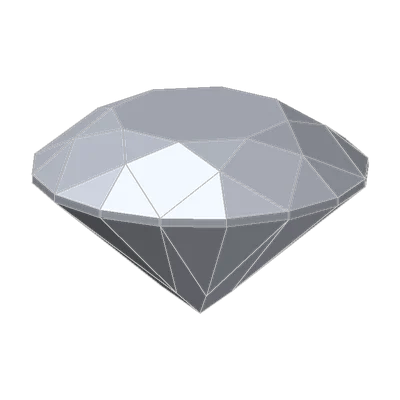
This 10-second clip has no sound. What you see:
The crown angle swept from 31.5° to 37.5° and back.
34.5° from 1919
In 1919, Marcel Tolkowsky published a short book. In it, he calculated the paths of light through a diamond and found the best angles for a round brilliant. For the crown he got 34°30': 34.5°.
More than a century later, our T73 is cut to his angles. Our Cut Grading Tool reads GIA's published tables and grades it Excellent. Tilt that crown, and the T73 stays Excellent from 33.5° all the way to 36.0°: a window two and a half degrees wide. That's generous. For the pavilion angle, the same window is less than one degree.
So why does the crown get more room, and what does it do up there?
What the crown angle is
The crown angle is the slope of the bezel facets, the big four-sided facets of the crown. It is measured against the flat plane of the girdle. A low angle gives a flat, low crown. A high angle gives a steep, tall crown.
The crown meets light twice. On the way in, it lets light through the table and the crown facets. On the way out, the pavilion sends light back up, and that light crosses the crown again. The sloped crown facets bend it. Each color bends by a slightly different amount, so white light fans out into flashes of color: fire.
Crown height: angle plus table
The crown height, from the girdle to the table, comes from two numbers. The crown is a ring around the table, and the angle is the slope of that ring:
crown height = half of (100% − table) × the tangent of the crown angle
For the T73, half of 47% is 23.5%. At 34.5°, that ring rises to about 16% of the diameter. Make the crown steeper and the height grows. Make the table wider and the height shrinks.
GIA's limits for an Excellent grade, each on its own: a crown angle from 31.5° to 36.5°, and a crown height from 12.5% to 17.0%. A stone can fail on either one.
Try it yourself
- Open Cut Grading Tool. It starts on the T73: 53% table, 34.5° crown, 40.8° pavilion.
- Move the Crown angle down to 30.5° and up to 38.0°, half a degree at a time. Read the crown height in the Profile. Read the grade and its Limited by line.
- Set Chart view to Fire, then to Brilliance. Watch where the T73's marker sits as you move the crown.
- The rescue. Set the crown to 31.5°: Very Good. Do not touch the crown. Find the pavilion angles that make it Excellent again.
What the Cut Grading Tool shows
The window. At the T73's table and pavilion, the grade is Excellent from 33.5° to 36.0°. Below that, the combination of crown and pavilion fails (31.5 to 33.0°). Below 31.5°, the crown angle itself is out of range. Above the window, the crown height fails first. At 36.5° it reaches about 17.5%, past the 17.0% limit. At 38.0° it is about 18.5%, and the stone is only Good. Across the sweep, the crown height climbs from about 14% to 18.5%.
Brilliance and fire. In the tool's traced brilliance, a steeper crown returns a little more light at these settings. It reads 50.3% at 31.5°, 54.2% at 34.5° and 56.1% at 36.0°. The Fire chart is a model, not a trace. It peaks at about a 35.5° crown and a 40.9° pavilion, close to Tolkowsky's angles. GIA's examples add the look: stones with flat crowns tend to look darker overall.
The rescue. A 31.5° crown is Excellent with a pavilion from 41.2° to 41.8°. A flatter crown and a steeper pavilion balance each other: the light that the pavilion sends up meets a crown with a different slope. The crown and the pavilion are graded as a pair, never alone.
Key points
- The crown angle is the slope of the bezel facets against the girdle plane. The T73's 34.5° comes from Tolkowsky's 1919 calculation.
- The crown bends light on its way out, and this spreads the light into fire.
- The crown height comes from the table and the crown angle: half of (100% − table) × tan(crown angle).
- GIA's Excellent limits: crown angle 31.5° to 36.5° and crown height 12.5% to 17.0%, each on its own.
- A steeper pavilion can balance a shallow crown: at a 53% table, 31.5° works with 41.2° to 41.8°.
Go further: the T57 Round Brilliant cut page has Tolkowsky's round as he published it, with its knife-edge.
Try it free
- Cut Grading Tool: Grade a round brilliant from its proportions and see its light map change.
Free, in your browser, no account.
Quick quiz
Five questions on this lesson, a couple of minutes. Pick an answer and see at once if you got it, and why.
Cuts in this lesson
We sell the files of these cuts: 3D models and cutting files, with a personal-use license.

Keep exploring
- Next lesson: Pavilion angle and pavilion depth: how a diamond keeps the light in
- Try another topic · Historic diamond cuts: the history of the brilliant: Hearts and arrows diamonds: precision you can see
Previous lesson · Diamond anatomy and proportions: all lessons · All topics